

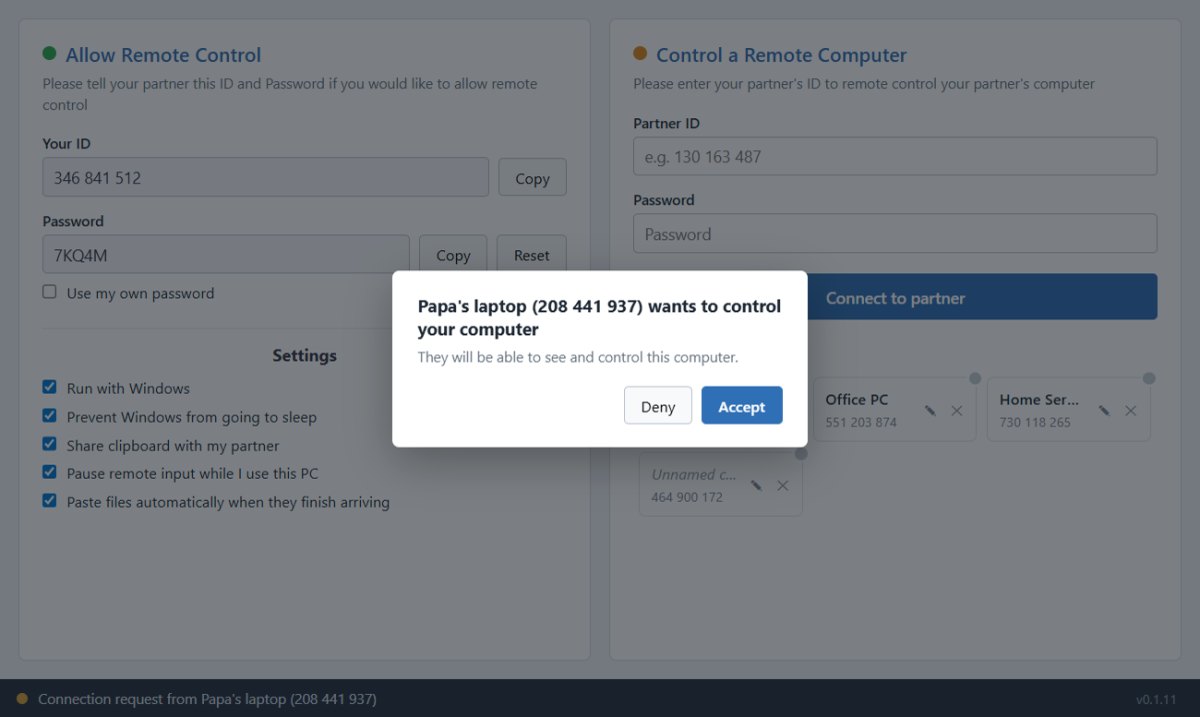
Control your office PC from home, help a client remotely, or share your screen in seconds. Goyral Remote Access is a lightweight remote desktop app for Windows built for speed and simplicity — unlimited sessions with no time limits.
Share a 9-digit code and connect in seconds. No router settings, no port forwarding, no IT knowledge required.
Text, images and copied files sync in both directions while a session is open. Paste deliberately — nothing uploads until you press Ctrl+V.
Drag and drop files up to 2 GB directly between the two computers during any remote session.
Install once and set a permanent password to reach your own computer anytime, even when nobody is at the desk.
Run unlimited sessions — support multiple clients or switch between your own devices without restrictions.
Every session is protected with end-to-end encryption. Only people with your code or password can connect.
Visit remote.goyral.com and open the remote app on both computers. Free download for Windows.
Read out the 9-digit session code shown on the other computer and enter it on your screen.
You are connected. Control the desktop, copy paste, transfer files — everything in real time.
Open the app on both computers and connect in under 60 seconds. No account, no subscription, no time limits.
We Provide all Services, if You need more services then call me or contact with us.
 After Successful Payment Send Screenshot on Whatsapp No. 9519966354